
Design.md
A Pinterest-style design board where designers curate visual styles and export them as AI-ready design principles.

Context
This project started as a personal tool. During an intense sprint, I needed to recreate an entire existing platform — so I trained Claude on the existing design style and built a custom skill to generate UI that matched it. It worked, but it was a one-off solution built for that one project.
That got me thinking: what if this was repeatable? What if anybody could point Claude at their own references and get the same result?
Claude Code
Node.js + Express, better-sqlite3
React, TypeScript, Vite, Tailwind CSS
Electron
How this started
How does one develop visual taste?
My students have been asking me in the age of AI, execution is no longer the differentiator. Taste is; meanwhile, taste has always been the hardest thing to teach, so the question is, how does one develop taste?
The problem
The problem isn't that designers lack taste. Most designers have been developing it for years by saving screenshots, bookmarking sites, screenshotting UI patterns they admire and influencing their taste. Here are the two parts of the problems I identified
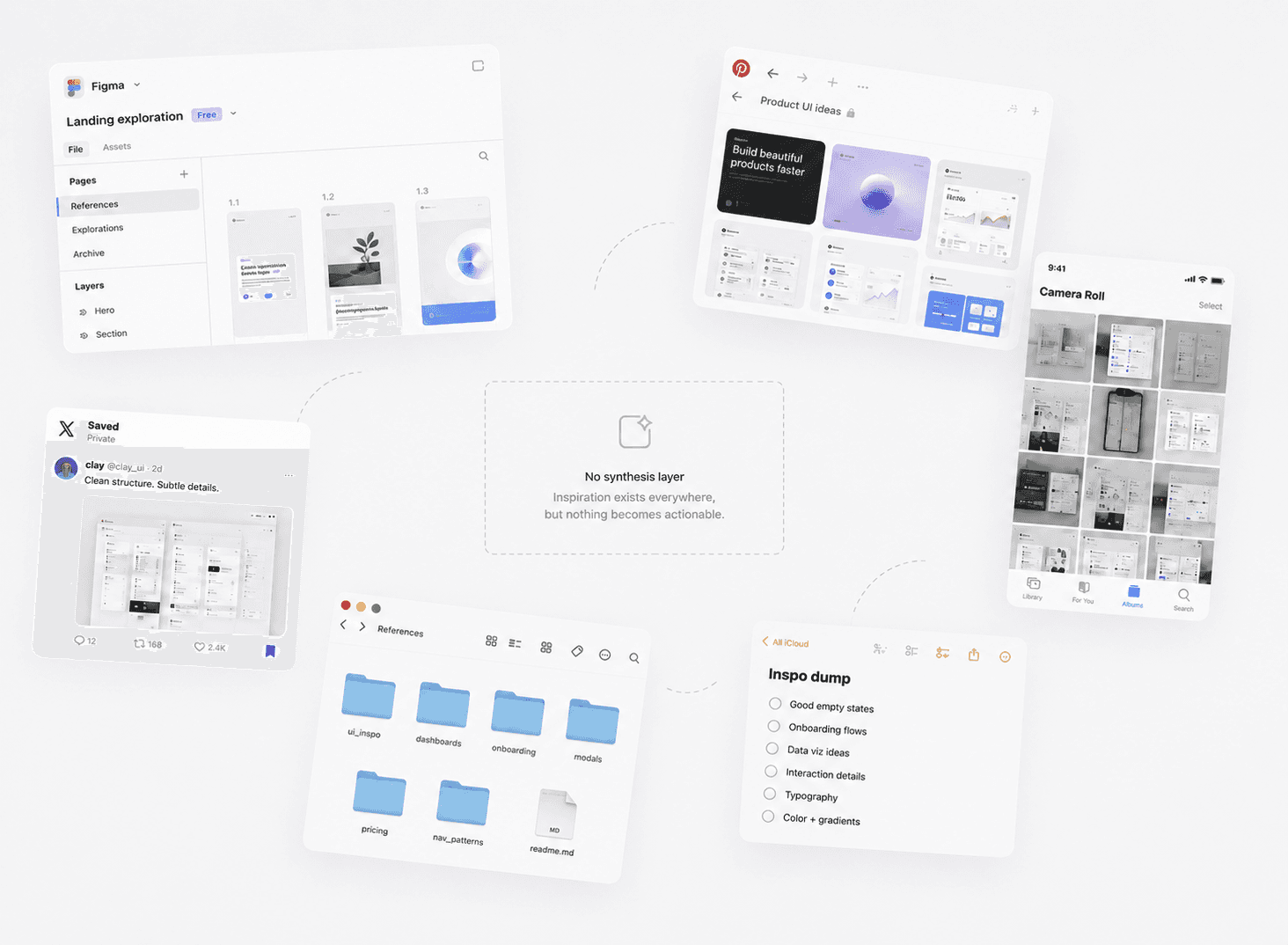
Inspiration repository is scattered
These saved screenshots are scattered across folders, Figma Artboards, saved posts, camera rolls. It never gets converted into anything actionable.
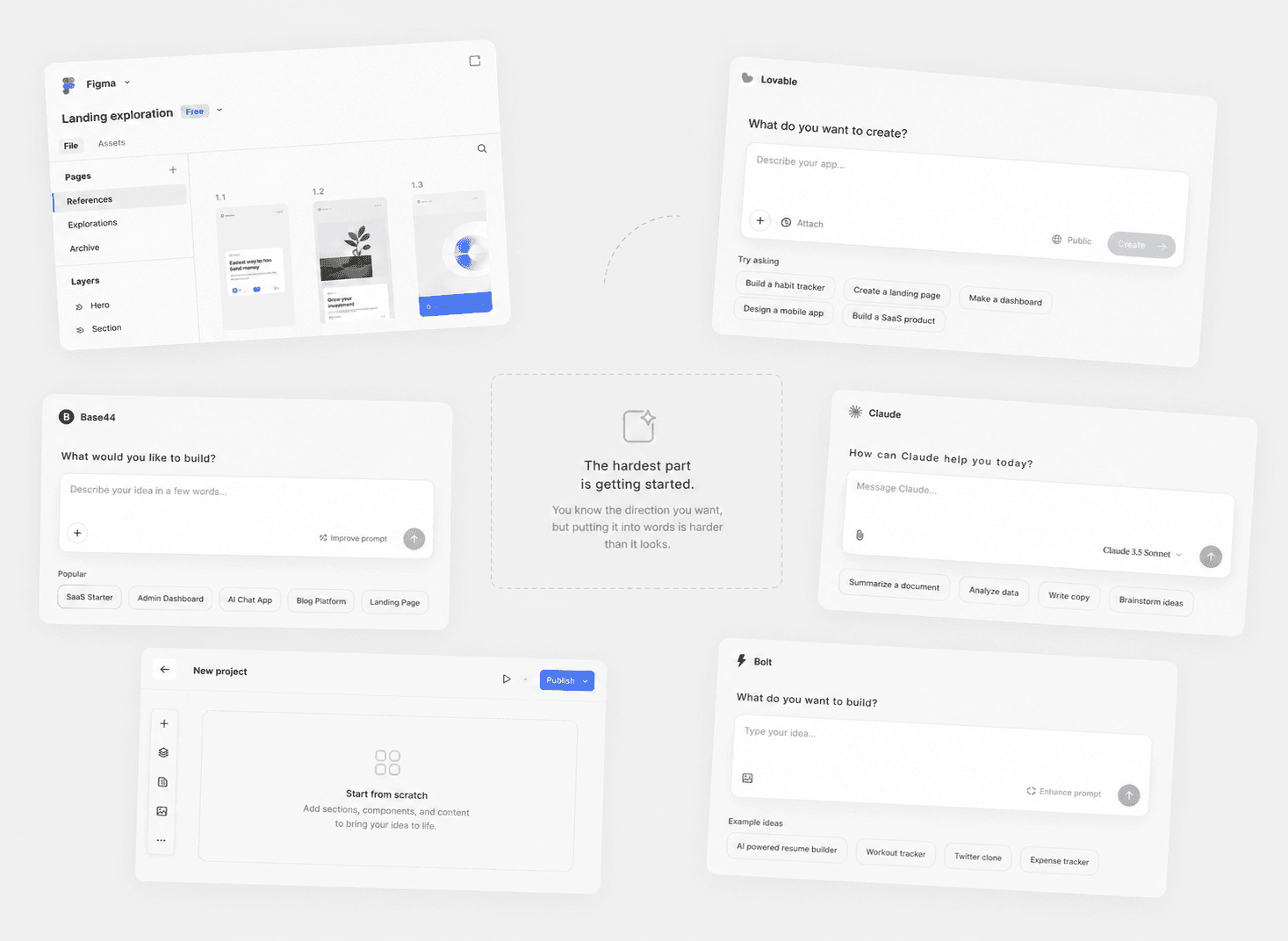
The Empty Canvas / Prompt
The cold start. Every new project begins with the same blank canvas moment you know the direction you want, but articulating it is harder than it looks.
What if?
What if saved screenshot collections could become a design system?
The colors a designer gravitates toward, the typography that feels right, the spacing and mood that's distinctly theirs, extracted from their own image references, ready to use and applied to every project.
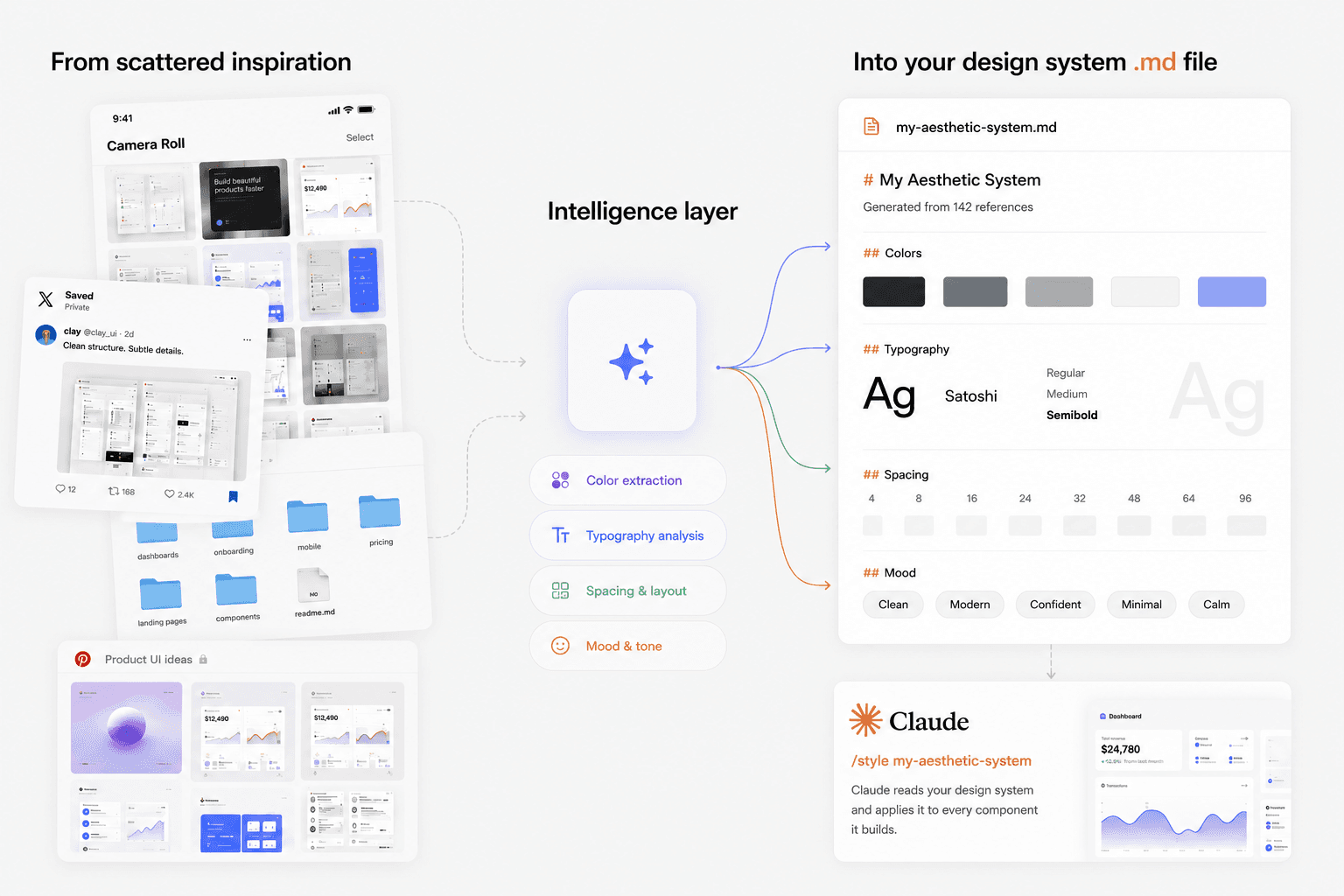
Solution
I built a lightweight tool with three moving parts:
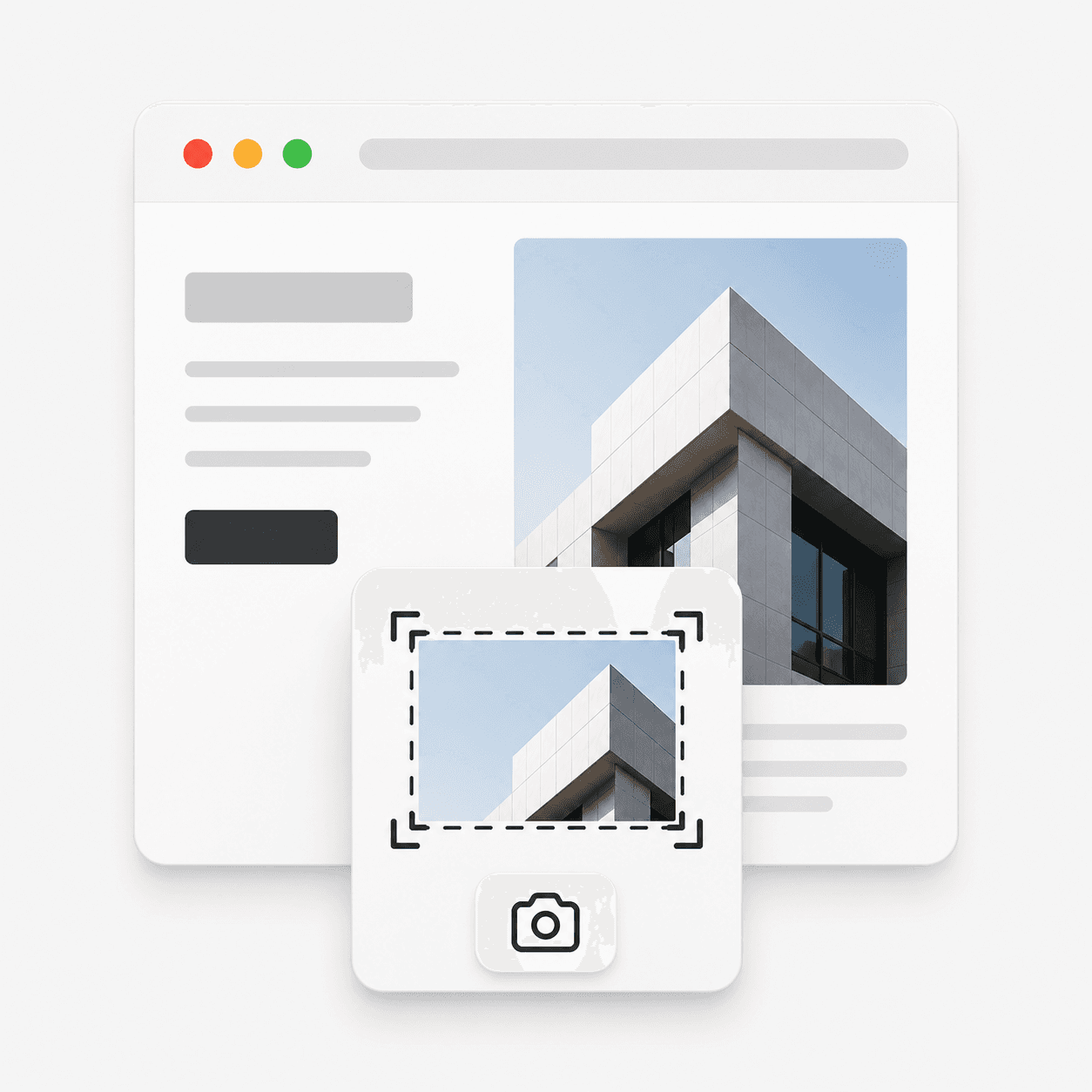
Capture screenshots:
A browser extension that lets you save screenshots as you naturally browse the web. No workflow additional workflow. The user see something they like, they save it.
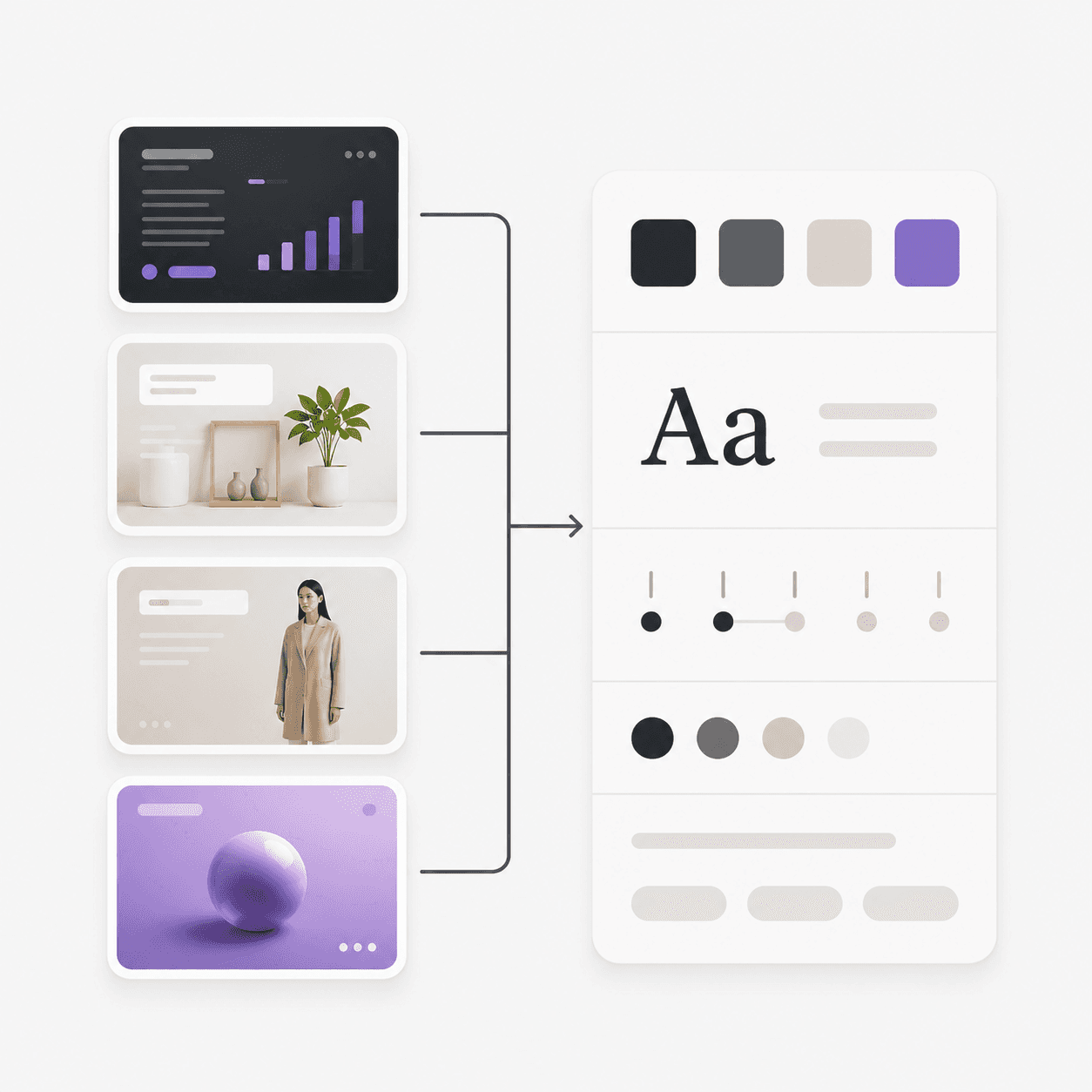
Curate image collections:
Screenshots get organized into collections inside the app. Each collection represents a distinct aesthetic direction. Over time these collections become a visual record of the users' taste.
Generate and apply .MD files:
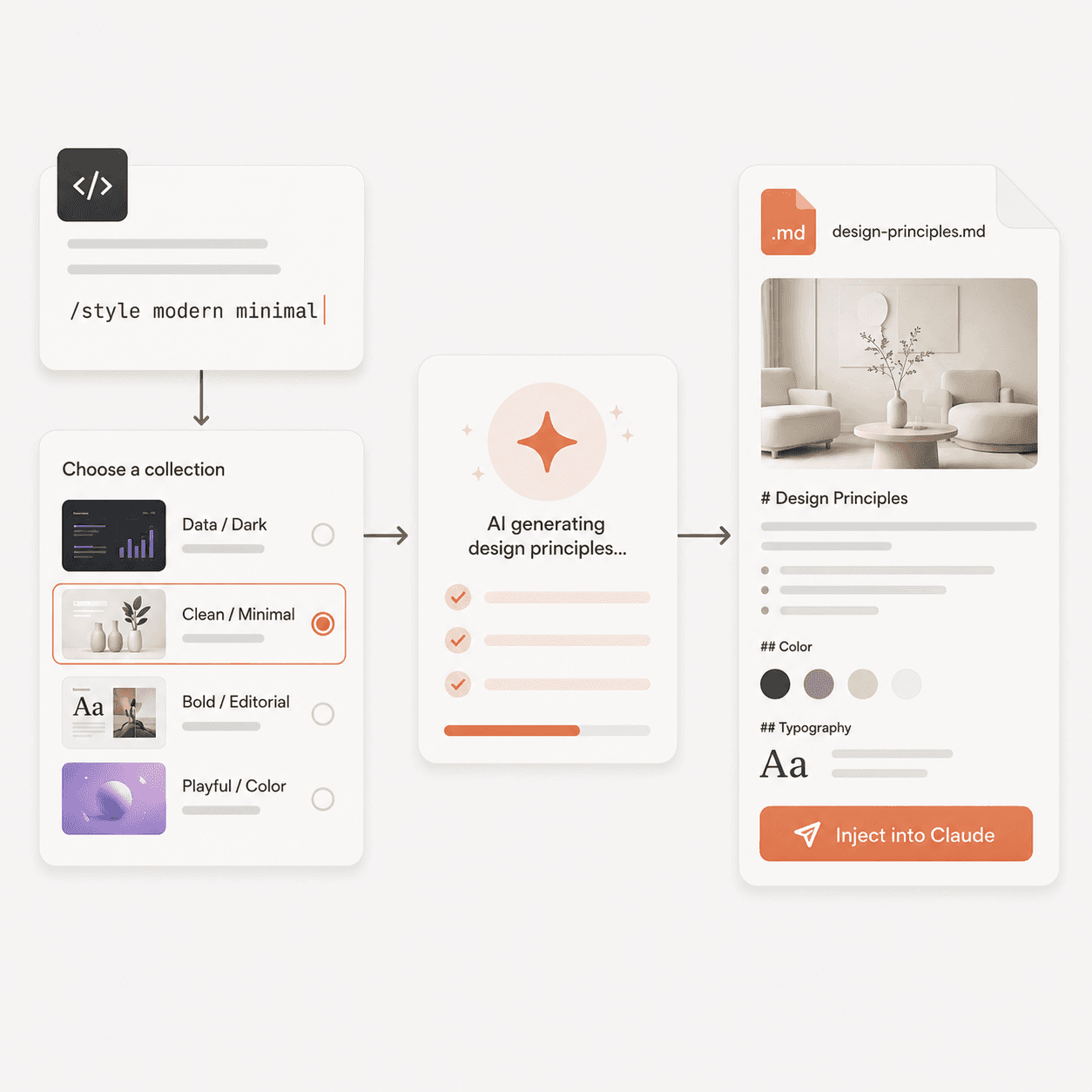
When ready to build, choose a collection and the AI generates a set of design principles from saved references and injects it directly into the Claude session.
Capture: Browser Plugin
The web is usually where designers get their inspiration from.
Screenshot Capture:
A browser extension sits in the toolbar. When something catches the user's eye, they capture it, full page or selected area without leaving the tab.
Full Page Screen Capture
Users can capture the full page or select a specific area directly from the browser no tab switching, no separate tool.
Element Select
Area select lets users isolate exactly what they're drawn to a layout, a component, a typographic detail.
Annotate Image Captures
Each saved screenshot can include a note about what specifically caught the user's eye the spacing, the color, a layout decision. That context shapes how the AI interprets the image when generating the style guide.
Curate: Desktop App
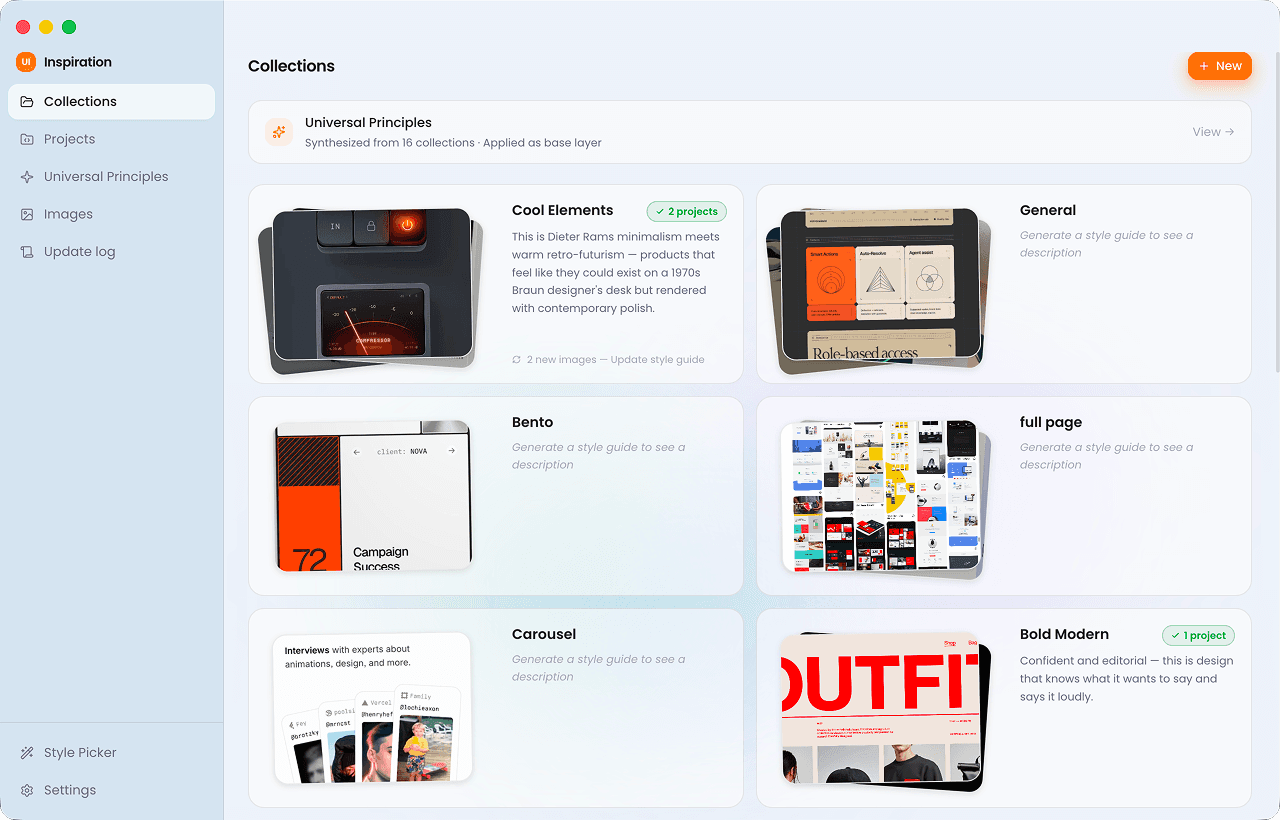
Screenshots from the browser extension land here. The desktop app is where the designer organizes them into collections, generates style guides, and manages which styles are applied to which projects.
Screenshots are organized into collections. Each collection represents a distinct aesthetic direction. Over time they become a visual record of the designer's taste.
Each collection can generate a style guide MD file. The app analyzes the saved references and produces a .md file ready to be injected into a Claude session.
Projects track which style is applied where. Each Claude Code project gets assigned a collection. The designer can switch styles per project and toggle universal principles on or off as a base layer.
Apply: Claude Code Skill
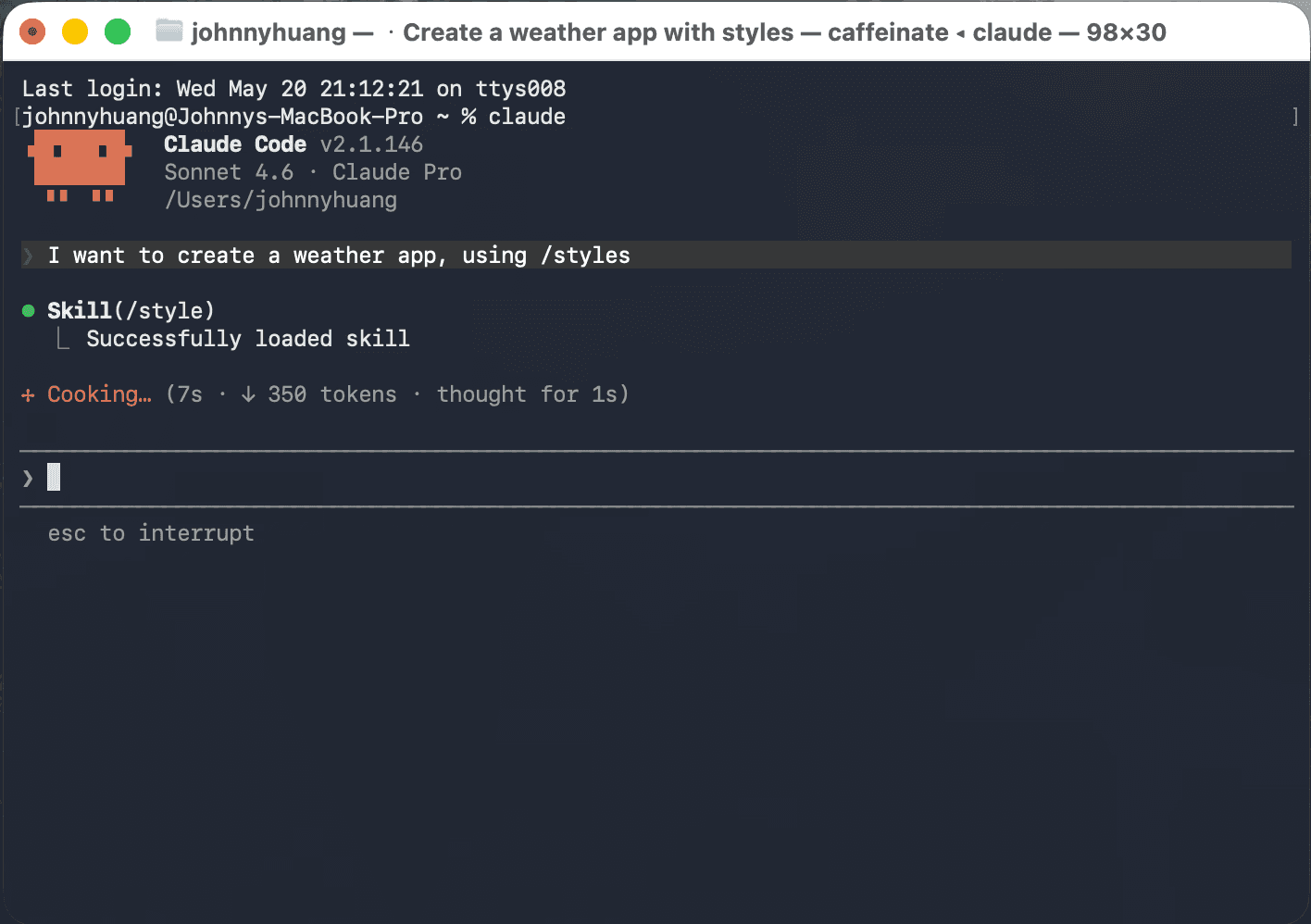
Using a style for a new project. The designer types /style in Claude Code, a style picker opens, they select a collection and the style guide is injected directly into the session. From that point every component Claude builds reflects the chosen aesthetic.
Result
Same prompt. Same AI. The only difference is whether a style guide was injected. The before is competent but generic, the after reflects a specific aesthetic the designer had already curated.
Without skill
Claude produces a functional result — but defaults to its own interpretation of "good design." Dark mode, amber accents, clean enough. Nothing wrong with it, but nothing distinctly yours either.
Using /styles skill
With a style guide injected, Claude has a reference point for color palette, typography, spacing philosophy. The output is noticeably more considered and matches an aesthetic the designer intentionally chose.